2026 guide · by a restaurant owner
Looking for a
MarginEdge alternative?
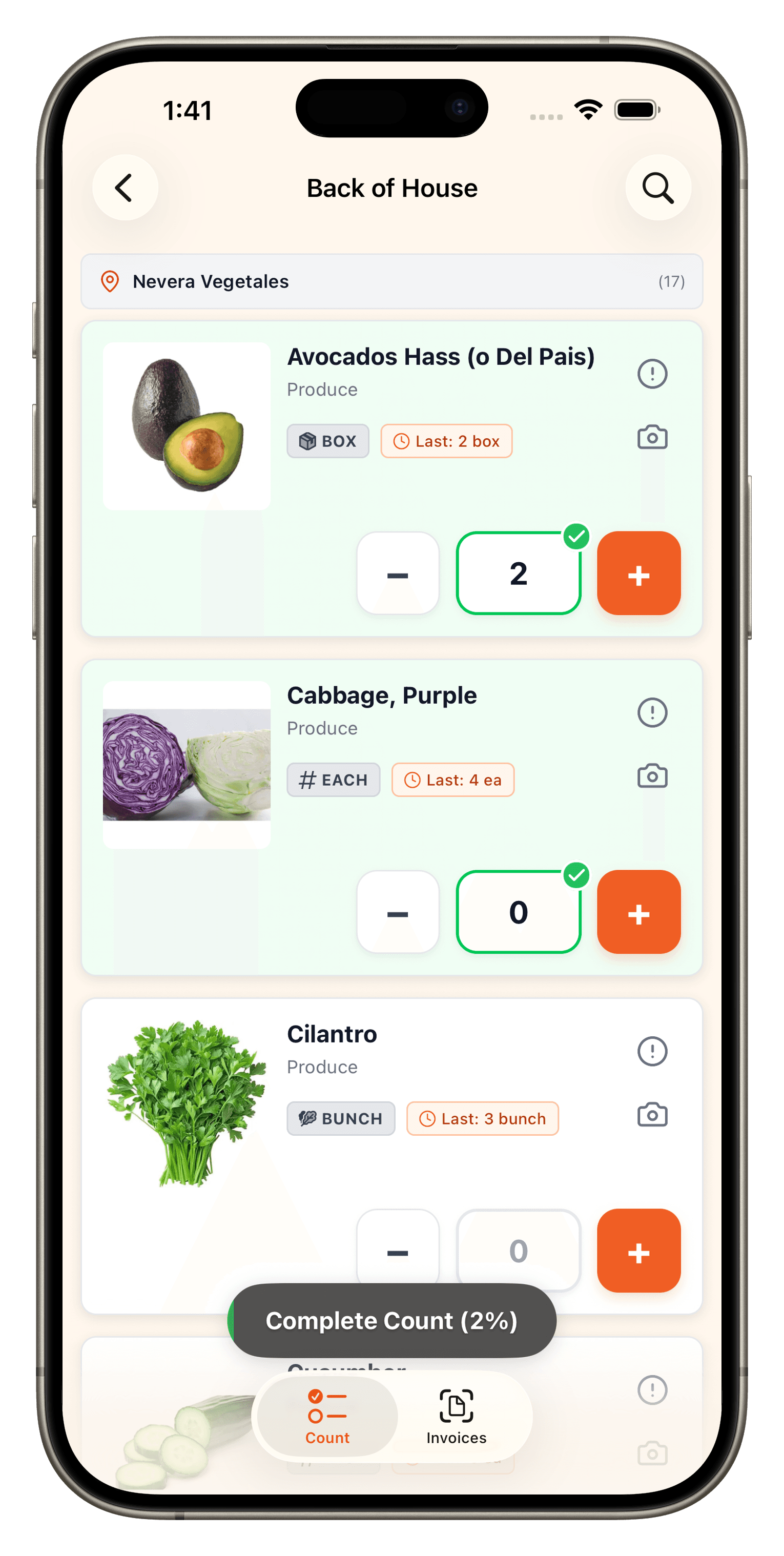
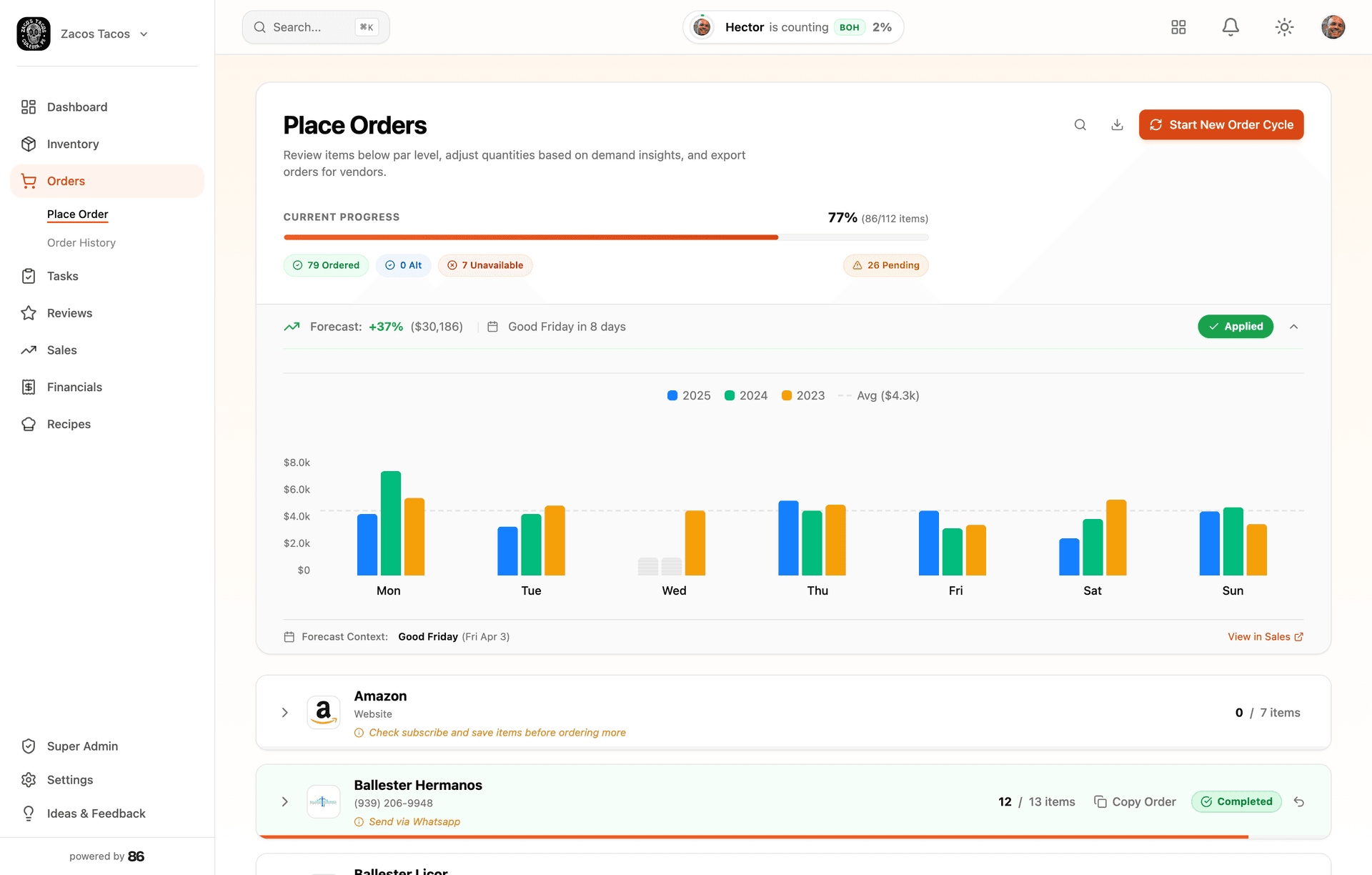
Your team counts without you. You order without guessing, from anywhere. Every invoice keeps your costs current.
Know the work is handled, even when you’re away from the restaurant.
- $299/mo
- Setup included
- 30-day guarantee
Pricing verified July 2026 · Per location. Annual billing = 10% discount on a 12-month term (early cancellation owes the remaining balance). · source
Drop in the mess. Start with a working account.
No forms, no data entry, no blank account to fill in. 86 reads whatever you’ve got — and builds your account in minutes.
Whatever you have
- Shelf photos
- Invoices
- Spreadsheets
- Handwritten counts
- POS exports
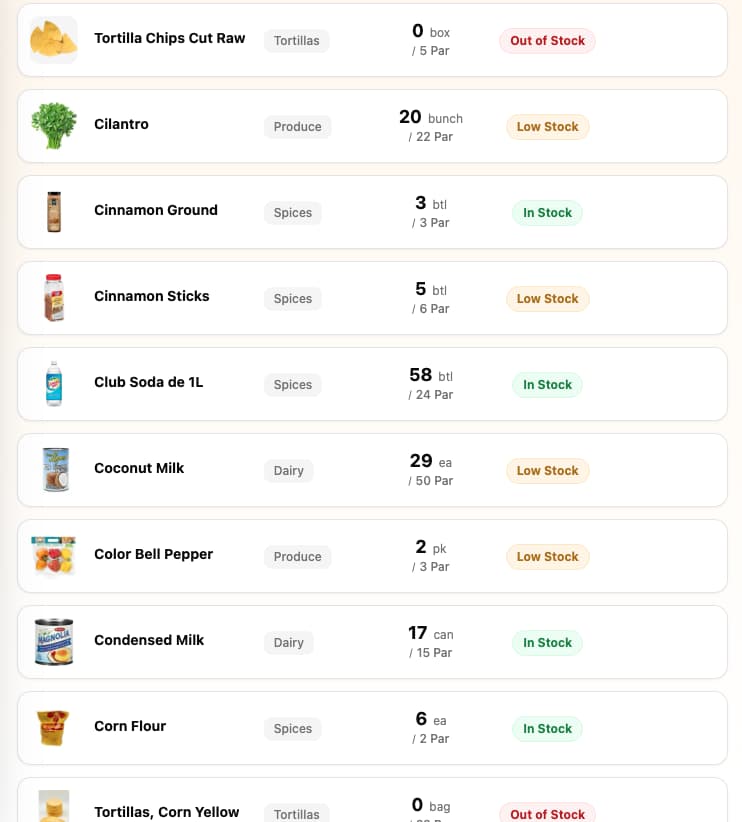
Items, vendors, and the link between them — even migrated from your old system — built and ready when you first log in.
Want a hand? We’ll set it up with you — even moving everything over from your current system. Chat or a call, right in the app. No fee, no pitch.
Why Restaurants Are Switching
Common reasons restaurants look for MarginEdge alternatives.
$350/month per location, plus optional onboarding packages
Invoice processing runs on a 24–48 hour human-review turnaround — 3–5 days during your first month — not real-time
Counting works on the phone, but invoice coding, recipe building, ordering, and reporting live in the browser
2026 reviews report mobile app instability — login hangs and crashes
Annual term required for the discount; early cancellation owes the remaining balance
Requires POS integration for full value
What to Look for in an Alternative
Transparent Pricing
No hidden fees, no per-user charges, no surprise setup costs. Know exactly what you'll pay.
Fast Setup
Your team should be counting inventory this week, not waiting weeks for implementation.
Team Simplicity
If your staff can use a phone, they should be able to use the inventory app. No weeks of training.
Feature breakdown
See exactly where 86 wins — and where MarginEdge does.
Pricing & Setup
- Monthly Cost86: $299 flat per locationMarginEdge: $350/location
- Setup Fee86: $0 (included)MarginEdge: Onboarding packages priced separately (optional)
- Contract86: None — cancel online anytimeMarginEdge: Monthly = cancel anytime; annual discount = 12-month term
- Team Members Included86: UnlimitedMarginEdge: Unlimited
- Annual Cost (per location)86: $2,988MarginEdge: $4,200 monthly / $3,780 annual (10% off). Onboarding package extra.
Core Features
- Inventory Management86: YesMarginEdge: Yes
- Invoice Processing86: No monthly cap — scanned in-appMarginEdge: Unlimited (24–48h human review)
- Cost updates86: Auto via invoices → recipes → booksMarginEdge: Auto via invoices (after the review window)
- Bill Payments86: NoMarginEdge: Yes
- Books86: Bank + cards connected — auto-categorized, you review only what's leftMarginEdge: Daily P&L + accounting integrations
- Recipe Costing86: YesMarginEdge: Yes
- Daily Prep Lists for the Kitchen86: No more writing the whiteboard — closing counts set the list, cooks check it offMarginEdge: Commissary kitchens only
- Barcode Scanning86: NoMarginEdge: Yes
Simplicity & Learning
- Who does the setup86: Done for you — AI + a human at your fingertipsMarginEdge: You configure (optional paid onboarding packages)
- Setup Time86: Same dayMarginEdge: Formal 30-day onboarding program
- Learning Curve86: Counting is intuitive. Rest is learn-as-you-go.MarginEdge: Days
- Feature Focus86: Counting, ordering, invoices, and booksMarginEdge: Invoices + inventory (counting on mobile; coding in browser)
- Works without POS86: YesMarginEdge: POS recommended (50+ supported)
- In-app support86: Human chat inside the appMarginEdge: Email / ticketing
Mobile Experience
- iOS App86: YesMarginEdge: Yes
- Android App86: YesMarginEdge: Yes
- Offline Mode86: Tested in walk-ins — nothing gets lost. It just works.MarginEdge: Not listed on their site
Team Management
- Count Reminders by Text86: Text + push — 86 follows up so you don't have toMarginEdge: Not listed on their site
- Manager Alerts (Missed Counts)86: YesMarginEdge: Not listed on their site
- Push Notifications86: YesMarginEdge: Yes
Data & Migration
- Setup & Data Import Included86: Included — AI builds from photos, spreadsheets, exportsMarginEdge: Part of the optional paid onboarding packages

“At Zaco’s Tacos, I stopped chasing my bookkeeper for basic answers.”
Hector Bilbao · owner, Zaco’s Tacos · builder of 86 — books, proven at Zaco’s Tacos
How to switch from MarginEdge.
Migration is included. Our AI sets up your account in minutes — you can be counting and seeing real food costs the same day.
- Step 1
Export your inventory list from MarginEdge (Inventory → Items → Export)
- Step 2
Send the export file to [email protected]
- Step 3
Our AI sets up your 86 account with all your items in minutes — you can be counting the same day
- Step 4
Keep MarginEdge running during transition — cancel when ready
In MarginEdge, go to Inventory → Items → click Export to download your item list as CSV.
Frequently asked questions.
Have more questions? Email Hector
See where each tool fits.
Not every tool is the same kind of tool. Here’s where 86 fits against a few other options independents consider.
Independent restaurants — typically 1–5 locations — that want the whole back office handled in one tool, not just inventory.
Full comparison →86 vs Restaurant365Independent operators (1–5 locations) who want the same visibility without the enterprise admin overhead.
Full comparison →86 vs WISK AIIndependents (1–5 locations) that run food and beverage, and want the rest of the back office in the same tool.
Full comparison →Know the work is handled, even when you’re away from the restaurant.
- $299/mo
- Setup included
- 30-day guarantee