Side by side
86 vs CrunchTime
Which one actually gets work off your plate?
Pricing verified July 2026 · Quote-only. Annual contracts per third-party analyst reporting. · source
Where 86 actually differs.
Not a price fight. A different approach to getting the work done.
Who sets it up
Time to go live
Team members
Cost updates
Feature breakdown
See exactly where 86 wins — and where CrunchTime does.
Pricing & Setup
- Monthly Cost86: $299 flat per locationCrunchTime: Custom quote
- Setup Fee86: $0 (included)CrunchTime: Not published — scoped per deal
- Contract86: None — cancel online anytimeCrunchTime: Annual, quote-based
- Team Members Included86: UnlimitedCrunchTime: Scoped per deal
- Annual Cost86: $2,988CrunchTime: Custom quote
Core Features
- Inventory Counting86: YesCrunchTime: Well-rated counting app (4.9★ on the App Store)
- Photo-Based Counting86: YesCrunchTime: Yes
- Barcode Scanning86: NoCrunchTime: Yes
- Voice Counting86: NoCrunchTime: Yes
- Daily Prep Lists for the Kitchen86: No more writing the whiteboard — closing counts set the list, cooks check it offCrunchTime: AI prep planning (15-minute granularity)
- Invoice Scanning86: No monthly capCrunchTime: Invoice scanner + receiving reconciliation
- Cost updates86: Auto via invoices → recipes → booksCrunchTime: Actual-vs-theoretical variance engine
- Books86: Bank + cards connected — auto-categorized, you review only what's leftCrunchTime: One-way QuickBooks sync (no bank feed)
- Labor Scheduling86: NoCrunchTime: Yes
- Ops Checklists & Food Safety86: Tasks with text remindersCrunchTime: Zenput checklists, audits, temp probes
- Distributor EDI (Sysco, US Foods, PFG)86: NoCrunchTime: Yes
Simplicity & Learning
- Who does the setup86: Done for you — AI + a human at your fingertipsCrunchTime: Enterprise implementation team (dedicated admin/IT expected)
- Setup Time86: Same dayCrunchTime: Scoped per deal — no published timeline
- Learning Curve86: Counting is intuitive. Rest is learn-as-you-go.CrunchTime: Steep; requires continuously trained end-users (review-sourced)
- In-app support86: Human chat inside the appCrunchTime: Enterprise account management
- Best For86: Independents (1–5 locations)CrunchTime: Chains of 10+ locations (their own ideal-fit statement)
Mobile Experience
- iOS App86: YesCrunchTime: Yes
- Offline Mode86: Tested in walk-ins — nothing gets lost. It just works.CrunchTime: Yes
Team Management
- Count Reminders by Text86: Text + push — 86 follows up so you don't have toCrunchTime: Not listed on their site (in-app alerts confirmed)
- Manager Alerts (Missed Counts)86: YesCrunchTime: Not listed on their site
- Push Notifications86: YesCrunchTime: Yes
Data & Migration
- Setup & Data Import Included86: Included — AI builds from photos, spreadsheets, exportsCrunchTime: Flat-file imports and exports, admin-configured

“At Zaco’s Tacos, my bartender counted 200 items in 40 minutes on his first try.”
Hector Bilbao · owner, Zaco’s Tacos · builder of 86 — counting, proven at Zaco’s Tacos
The bottom line.
Not a price fight. A different approach to how the work gets done.
Why choose 86
- Setup is done for you. Send us shelf photos, spreadsheets, POS exports — anything. Our AI builds your account in minutes, a real person is on it with you whenever you want — and you can be counting the same day.
- Your team counts without you. Text reminders, live progress, and a notification when the count is done. 86 follows up so you don't have to.
- Costs stay current, automatically. Scan an invoice — item costs, recipes, and your books update in the background. You review what matters.
- Your books stay current. Connect your bank and credit cards — transactions are categorized automatically, you review only what needs you, and the numbers are real-time.
- One tool, one login. Counting, prep, ordering, invoices, and your books — no tool patchwork, no per-user fees, no contract.
- Human support inside the app. Chat lives where the work lives, and a real person answers.
Where 86 fits
Independent restaurants (1–5 locations) where the owner is the ops team — the whole back office in one login, with the price on the page.
Why choose CrunchTime
- Actual-vs-theoretical food cost variance tracking, praised as best-in-class by named enterprise customers
- AI-driven prep and production planning at 15-minute granularity
- Deep analytics and drill-down across food cost, labor, and ops execution
- EDI integrations with the largest US distributors (Sysco, US Foods, PFG)
Best for
Multi-unit chains and franchise groups (10+ locations) with dedicated ops and IT staff who need enterprise variance tracking and standardized multi-store execution.
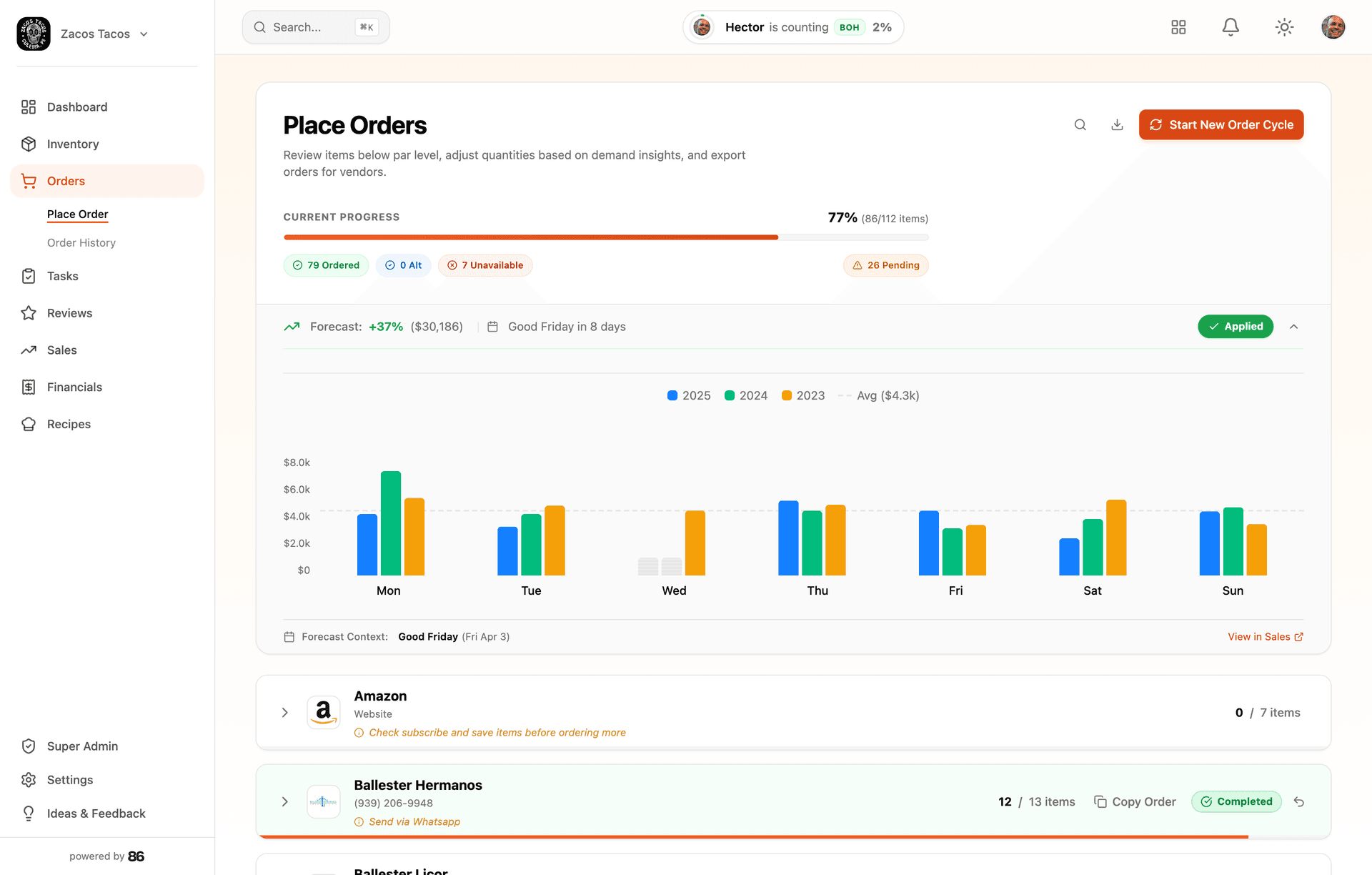
What the work looks like in 86

Frequently asked questions.
Have more questions? Email Hector
How to switch from CrunchTime.
Migration is included. Our AI sets up your account in minutes — you can be counting and seeing real food costs the same day.
- Step 1
Ask your CrunchTime admin to run a User Defined Export (or use their Developer API) for your item and inventory data
- Step 2
Send the export file to [email protected]
- Step 3
Our AI sets up your 86 account with all your items in minutes — you can be counting the same day
- Step 4
Keep CrunchTime running during the transition — cancel when you're ready
CrunchTime has no self-serve CSV export button. Data comes out via 'User Defined Exports' (admin-configured flat files) or their Developer Hub API. Ask your account admin or CrunchTime support to configure a UDE for your inventory data — or just send us whatever you have and our AI will rebuild from it.
See where each tool fits.
Not every tool is the same kind of tool. Here’s where 86 fits against a few other options independents consider.
Independent restaurants — typically 1–5 locations — that want the whole back office handled in one tool, not just inventory.
Full comparison →86 vs Restaurant365Independent operators (1–5 locations) who want the same visibility without the enterprise admin overhead.
Full comparison →86 vs MarginEdgeIndependents (1–5 locations) who want invoices, counting, ordering, and books off their plate in the same login.
Full comparison →Know the work is handled, even when you’re away from the restaurant.
- $299/mo
- Setup included
- 30-day guarantee